𝗟𝗢𝗢𝗞 𝗙𝗢𝗥 𝗧𝗛𝗘 𝗕𝗥𝗔𝗜𝗡𝗥𝗢𝗧: 𝗧𝗛𝗘 𝗜𝗦𝗟𝗔𝗡𝗗 𝗢𝗙 “𝗜 𝗦𝗪𝗘𝗔𝗥 𝗜𝗧 𝗪𝗔𝗦 𝗥𝗜𝗚𝗛𝗧 𝗛𝗘𝗥𝗘” 🧠👀
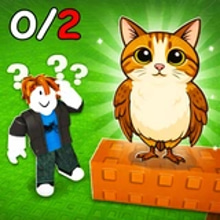
Look for the Brainrot is one of those games that turns your own attention span into the main boss fight. There’s no complicated crafting tree, no giant map full of waypoints, no long tutorial trying to impress you. You load in, you move around, you scan the space, and you have a simple mission that becomes weirdly intense: find the Brainrot and click it to progress.
That’s it. That’s the entire hook. And somehow it works because the game is built around a specific kind of tension: the target is small, the area feels big, and your brain keeps playing tricks on you. Shadows look suspicious. Props feel “too placed.” Corners start looking like hiding spots. You’ll swear you saw it, then turn back, then realize you just got fooled by a texture, and now you’re walking in circles with full detective energy. 😅
It’s a puzzle game, but not the classic “push boxes” type. It’s a search-and-spot challenge in a 3D environment, with movement, jumping, and the constant pressure of “it has to be somewhere.” On Kiz10, it hits that sweet spot for short sessions: every level is a bite-sized hunt, and the reward is immediate because the moment you spot the Brainrot, the game clicks forward into the next area like a door unlocking in your head.
𝗬𝗢𝗨𝗥 𝗪𝗘𝗔𝗣𝗢𝗡 𝗜𝗦 𝗠𝗢𝗩𝗘𝗠𝗘𝗡𝗧 (𝗔𝗡𝗗 𝗦𝗧𝗨𝗕𝗕𝗢𝗥𝗡𝗡𝗘𝗦𝗦) 🏃♂️🧩
The controls make it feel like a tiny exploration adventure rather than a flat hidden object screen. On PC you move with WASD or arrow keys, jump with Space, and look around with the mouse. On mobile you’ve got a left joystick for walking, a jump button, and swipe controls for camera movement. That means you’re not just staring at one angle waiting for the answer. You’re actively hunting.
And that changes the psychology. When you can move, you start thinking in routes. You check edges. You climb or jump to see over things. You swing your camera wide like you’re doing a security sweep. Sometimes the Brainrot will be visible from a specific angle and completely hidden from another, so you learn to reposition, not just squint harder.
The jumping is sneakily important too. It’s not only a platform mechanic, it’s a scouting tool. Hop up, get a better view, scan the area, drop down, check behind objects. You’re basically turning the level into a little search puzzle where elevation and angles matter. It feels simple, but when you’re genuinely stuck, you’ll start using movement like a strategy instead of just wandering.
𝗧𝗛𝗘 𝗕𝗥𝗔𝗜𝗡𝗥𝗢𝗧 𝗜𝗦 𝗧𝗛𝗘 𝗞𝗘𝗬, 𝗕𝗨𝗧 𝗧𝗛𝗘 𝗠𝗜𝗦𝗗𝗜𝗥𝗘𝗖𝗧𝗜𝗢𝗡 𝗜𝗦 𝗧𝗛𝗘 𝗚𝗔𝗠𝗘 🎭🔍
What makes Look for the Brainrot fun is that the level design usually isn’t trying to be fair in a boring way. The environments feel like they’re built to distract you. Busy areas, objects that catch your eye, little corners that look important but aren’t. Your attention is constantly being pulled away from the thing you actually need.
That’s why the “click to progress” mechanic feels satisfying. When you finally find it, you’re not just clicking an item. You’re ending a small mental war. The relief is real. You go from “I’m blind” to “I’m a genius” in one second, like your brain flips a switch.
And then the game does the funniest thing: it sends you forward to a new area where you have to do it again, and you willingly accept because now you want to prove you can spot it faster next time. That’s the loop. Not grinding. Not fighting. Proving your eyes are better than the map’s little tricks.
𝗖𝗢𝗜𝗡𝗦, 𝗦𝗞𝗜𝗡𝗦, 𝗔𝗡𝗗 𝗧𝗛𝗘 𝗦𝗜𝗟𝗟𝗬 𝗣𝗥𝗜𝗗𝗘 𝗢𝗙 𝗟𝗢𝗢𝗞𝗜𝗡𝗚 𝗗𝗜𝗙𝗙𝗘𝗥𝗘𝗡𝗧 💰✨
Between levels, the game gives you a simple reward path: coins. Those coins let you change how your “Brine Rats” look (yes, the naming is part of the chaotic charm), buying skins and visual effects. It’s cosmetic, but it matters because it adds a reason to keep clearing levels beyond pure completion. You start chasing coins because you want the next look, the next effect, the next ridiculous visual upgrade.
Customization also makes the game feel less repetitive. Even if the objective stays the same, your character vibe changes. And when you’re playing a hunt-and-click puzzle loop, those little rewards keep motivation alive without needing heavy systems. It’s quick, clean progression: play, finish, earn, customize, repeat.
Also, there’s something very funny about working hard to find a tiny hidden Brainrot, then spending your reward to make your character glow like a disco mistake. The game doesn’t take itself too seriously, and that’s a good thing.
𝗛𝗢𝗪 𝗧𝗢 𝗚𝗘𝗧 𝗨𝗡𝗦𝗧𝗨𝗖𝗞 𝗪𝗛𝗘𝗡 𝗬𝗢𝗨’𝗥𝗘 𝗟𝗢𝗢𝗞𝗜𝗡𝗚 𝗔𝗧 𝗘𝗩𝗘𝗥𝗬𝗧𝗛𝗜𝗡𝗚 (𝗔𝗡𝗗 𝗦𝗘𝗘𝗜𝗡𝗚 𝗡𝗢𝗧𝗛𝗜𝗡𝗚) 🧠🧭
When you hit that moment where you’ve “checked everywhere” and still can’t find it, the best trick is to change your pattern. Most players do the same scan over and over: center, left, right, back to center. That’s how you miss the thing hiding behind the obvious.
Try this instead: hug the edges and do a perimeter sweep, slowly. Then do a second sweep at a different height, using jumps and slightly higher camera angles. After that, pick one landmark and scan outward in a spiral, like you’re searching a room methodically. It sounds dramatic, but it works because it stops your brain from autopiloting.
Another useful habit is to pause your movement and rotate the camera in place, carefully. Movement makes your eyes skip details. A slow stationary rotation often reveals the target because your attention isn’t split between walking and scanning.
And if you keep getting fooled by props, focus on what looks “off.” The Brainrot usually stands out in some way: silhouette, color, placement, or the fact that it doesn’t belong. Your brain notices that faster when you stop trying to see everything and start trying to see what’s wrong.
Look for the Brainrot is a simple idea wrapped in a surprisingly addictive hunt. It’s a 3D search puzzle with movement, quick progression, and cosmetic rewards that make each run feel like a small win. If you enjoy exploration games, hidden object challenges, and that little jolt of pride when you spot the target before your brain can overthink it, this one on Kiz10 will pull you in fast. 🧠🔎✨





 Share
Share
 Embed
Embed