The Line That Wouldn’t Behave ✏️⚠️
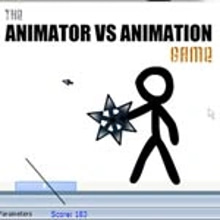
You drag a line. It blinks. Then it looks back at you. Animator vs Animation Game opens with a tiny act of rebellion: a stick figure you sketched refuses to stay still and begins exploring your toolbar like it’s a box of fireworks. What follows is a kinetic mashup of action, puzzles, and slapstick software sabotage. The screen is no longer a window—it’s a battleground. Menus become platforms, sliders become hazards, and your own cursor becomes part weapon, part uneasy truce.
Canvas Under Siege 🎨🔥
Every level unfolds inside a stylized desktop: layers palette on the left, tools on the right, tabs up top, a smug status bar at the bottom acting like nothing is wrong. Your animated troublemaker sprints across icons, ducks behind buttons, and weaponizes anything that clicks. The Eraser is a natural enemy. The Brush is a flamethrower if you set the size to ridiculous. The Lasso is both a trap and a slingshot, depending on your nerve. The physics are gleefully cartoonish—windows wobble, sliders bounce, and dropdowns spill options like confetti when the action gets hot.
Two Minds, One Mess 🧠🤝
You don’t “control” so much as you negotiate. Sometimes you steer the animator—tapping to jump, swiping to dodge, timing hits. Sometimes you operate the UI like a mischievous deity, dragging tools into place, toggling blend modes as makeshift force fields, dropping shapes that play the role of cover. The fun is in the handshake. You lay a vector path as a ramp, the stick figure sprints up it, and you angle the gradient midair to arc them toward a hidden tab. When it works, you feel like a stagehand and a stunt coordinator in the same heartbeat.
Weapons of Mass Doodling 🗡️🖌️
Combat is a toy chest. Pencil strokes become spear jabs. A ruler spawns clean, knockback-heavy strikes. Smudge smears enemies into harmless scribbles. Select + Delete is hilariously final (if you land it). Later you unlock effects that escalate the absurdity: fire brushes that leave lingering hazards, neon vector blades that slice HUD elements, and a spray tool “shotgun” that clears swarms at close range. Nothing is grim. Everything is readable. Impact sounds thunk, fizz, or pop with just the right sugar rush.
Enemies From the Undo Stack 🧟♂️↩️
Who fights you in a drawing program. Glitch sprites that crawl out of corrupted thumbnails. Rogue cursors that click where you least want them to. Malware doodles with jagged edges that tear through layers if ignored. The most devious is the Clipboard Mimic, which copies you mid-combo and pastes a hostile twin at 100% opacity. Each foe teaches a rule: keep an eye on history, don’t let vectors fragment, and for the love of clean lines, lock important layers. Bosses are set pieces—The Update Popup (invincible until you “Agree” to bait it), The Sandclock Titan (freezes time unless you stack CPU buffs), and the legendary Crash Monster that you beat by saving strategically. Yes, the Save button becomes a weapon. You’ll laugh when you figure out why.
Puzzles That Wink, Then Bite 🧩😉
It’s not all brawling. Some rooms are Rube Goldberg doodles. You redirect a gradient to light up a masked door. You knit paths from Bézier curves so the stick figure can surf along a perfect S. You set a timer on an animation tween to open a gate exactly when the dropdown drops. Best of all: the Layer Maze, where foreground and background swap based on layer order, forcing you to juggle visibility while moving. Failures come quick and kind; restarts keep your pride intact and your grin intact-er.
Build, Break, Rebuild 🔧🚧
There’s progression threaded through the chaos. Earn inks (soft currency) and nodes (rare currency) to upgrade tools: faster brush cooldown, snappier selection, tougher vector armor. Perks tilt your style: UI Architect (stronger environmental edits), Combat Illustrator (bigger damage on drawn weapons), or Chaos Designer (shorter cooldowns on “illegal” tool combos). You can respec freely, encouraging experiments. One run you’re a minimalist precision artist; the next you’re a maximalist paintstorm who solves problems with volume.
Co-op: Two Cursors, Zero Patience 🖱️🖱️
Local co-op brings joyful anarchy. Player One pilots the stick figure, Player Two runs the “software.” A perfect tag-team means one sets up ramps while the other nails jumps. A chaotic team means the animator is midair when someone toggles “Snap to Grid” and the landing becomes a physics lecture. Either way, the room fills with laughter and “I totally meant to do that.” Co-op levels add split-panel tricks—one side grayscale, one side neon—so collaboration feels necessary, not optional.
Creative Mode, a Sandbox With Teeth 🏖️🧪
When the campaign trains your hands, Creative Mode hands you the keys. Spawn widgets, script simple triggers (when brush hits wall, spawn platform), record micro-animations that repeat like traps, and share tiny challenge rooms that play like dev puzzles. The editor is forgiving: drag to wire, test instantly, iterate. There’s a joy in watching your own UI contraption misbehave then tightening it until it sings.
Sound & Vision: The UI Is the Stage 🎧🖼️
Audio design cues play coach. A brittle ping warns of an incoming rogue click. A velcro rip means something just tore through layers. A soft chime tells you a save frame protected progress. Visually, the palette is bold: high-contrast tools, legible outlines, effects that sparkle without hiding hitboxes. The frame rate stays buttery when paint storms and particle scribbles fight for the same square inch; dodge windows feel honest, and collisions tell the truth.
Micro-Lessons From A Recovering Perfectionist 🗝️🧠
Save often—seriously, it’s both a tip and a tactic. Lock layers you love before the fight starts. Use Lasso as a leash, not just a trap; you can tug enemies into hazards. Turn off “snap” when precision jumps need fluid arcs; turn it on when you’re building ramps under pressure. Don’t hoard Undo—spend it mid-combat to rewind a bad swing into a perfect parry. And watch the corners of the canvas; secrets hide where the UI pretends to be empty.
Difficulty: A Clean Curve, Messy On Purpose 📈🌀
Early stages are cheeky tutorials disguised as pranks. Mid-game introduces multi-tool juggling and enemies that punish tunnel vision. Late-game asks you to think like an animator: anticipate frames, plan arcs, shape the scene before you step into it. You’ll fail for funny reasons—accidentally erasing the platform you needed, copy-pasting an enemy—and you’ll succeed for satisfying reasons—timing, foresight, and a surprisingly gentle kind of creativity.
Why You’ll Keep Scribbling On Kiz10 🌐✨
Because few games turn a UI into a playground this boldly. Animator vs Animation Game is fast without being shallow, clever without gatekeeping, and packed with moments that make you feel like a mischievous genius: the perfect Lasso yank, the life-saving Save slam, the Eraser feint that baits a boss into self-deleting. It’s a love letter to doodles, to toolbars, to little resistances that become adventures. Five minutes becomes forty. One level becomes “okay, one more.” And when the stick figure finally pauses to give you a tiny nod—as if to say good job, co-author—you’ll nod back and reach for the Brush.





 Share
Share
 Embed
Embed


