🤖 A little robot, a big “wait… why did I do that?” moment
Lego Bits and Bricks feels like someone took the fun part of building with bricks, mixed it with the “I swear I can solve this” energy of logic puzzles, and then handed you a tiny adventurous robot who absolutely will walk off in the wrong direction if you give it sloppy instructions. And that’s the whole point. This isn’t a game where you mash buttons and hope for the best. It’s a programming puzzle game dressed in LEGO charm, where your real tool isn’t speed, it’s thinking clearly… or at least thinking clearly enough to stop your robot from marching confidently into the void.
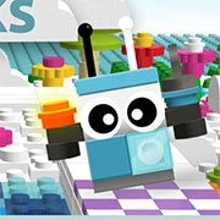
You’re guiding Bit (your brave brick-built buddy) across small boards toward a goal tile. Sounds simple. Then you place one command in the wrong order and suddenly Bit is doing a tragic little loop like it’s practicing for a parade nobody asked for. The game’s humor comes from that contrast: the world looks playful and friendly, but the logic is real. You’re basically learning the mindset of coding without a heavy textbook vibe. It’s “tell the robot what to do,” watch what happens, then adjust when reality laughs at your plan.
And because you’re playing on Kiz10, it’s that perfect browser-game rhythm: quick to start, easy to understand, surprisingly sticky once you get into the “okay, one more level” spiral.
🧩 Commands, sequences, and that delicious click of a solution
At its core, Lego Bits and Bricks is about sequencing actions. You choose block-like instructions—move, turn, repeat, maybe interact—and you stack them into a plan. Then you hit go and the robot executes exactly what you told it to do. Not what you meant. Exactly what you told it. That difference is where the magic lives.
When a level is easy, you feel like a genius. When a level is tricky, you start negotiating with yourself. “If I turn first, then step forward, then loop twice… no, wait, that makes it crash into the wall again.” You’ll catch yourself doing tiny mental simulations, like you’re running the robot in your head before you even press play. That’s the hidden skill the game builds: not just solving, but predicting. Thinking ahead. Spotting patterns.
And the best part is the moment when a solution finally clicks. The robot moves, turns, lands exactly where it should, and you get that clean, satisfying feeling of “Yes. I wrote the correct brain.” It’s not flashy, but it’s deeply rewarding, the way puzzle games should be.
🛠️ Debugging is the actual boss fight
People hear “program the robot” and imagine it’s all about writing the perfect plan on the first try. Nope. The real game is debugging. Watching your robot fail in a very specific way, then figuring out why. Did you forget a turn? Did your loop run one extra time? Did you accidentally place a command that makes the path impossible? You’ll make mistakes that look obvious in hindsight and then somehow repeat them again anyway because your brain is convinced it’s different this time. It’s not. 😂
But that’s why it’s good. Each failure teaches you something: how the grid works, how the robot interprets actions, how small changes create totally different outcomes. If you’ve ever been curious about programming logic—loops, conditions, step-by-step instructions—this is the friendly door into that world. No scary syntax. No “missing semicolon” nightmares. Just blocks, logic, and a robot who does exactly what you tell it to do, for better or worse.
You start learning habits without noticing: test small changes, isolate the problem, avoid rewriting everything when one tiny fix would do. That’s real developer thinking, disguised as a cute LEGO puzzle.
🎬 Tiny levels that feel like little movie scenes
There’s something cinematic about watching a character follow your plan. You’re not controlling Bit directly. You’re scripting the action, then watching it play out like a mini scene. When it works, it feels smooth, almost choreographed. When it fails, it’s slapstick. A heroic little robot taking three confident steps into disaster because you told it to. Oops.
The boards themselves tend to be compact and readable, which keeps the focus on logic rather than getting lost in massive maps. The challenge ramps naturally: early puzzles teach you the basics, then the game starts asking for cleaner solutions. Less waste. More efficiency. Suddenly you’re not just trying to reach the goal, you’re trying to reach it elegantly, with fewer commands, with smarter loops, with fewer moments of “why is my robot doing a U-turn into sadness.”
That shift is sneaky and brilliant. It turns the game from “solve it” into “solve it well,” which keeps it interesting longer than you’d expect.
🧠 The calm chaos of thinking under a cute skin
Lego Bits and Bricks has this great tone: it looks like a kids game, but it respects your brain. It doesn’t spoon-feed you forever. It nudges you into thinking logically, step by step, and it makes you own your mistakes. Not in a mean way. In a “you’ve got this, try again” way.
You’ll notice your mindset changing after a few levels. You stop guessing. You start planning. You start noticing how paths can be broken down into repeating patterns. You start using loops not because the game tells you to, but because you want to. And once you start thinking in patterns, the puzzles feel less like obstacles and more like little mechanical toys you can take apart and rebuild in your head.
It’s also weirdly relaxing. Not sleepy-relaxing. More like “my brain is busy in a good way.” No loud timers, no sweaty competition, just you, a grid, and the quiet satisfaction of making something work.
⚙️ A few survival instincts for smarter solutions
Here’s the thing: the robot is honest. That’s your advantage. If something goes wrong, it’s always because of the instructions. So don’t fight the robot—study the path. Break the board into chunks. If the route includes repeated movement, that’s a loop begging to exist. If the robot turns the wrong way, check the order. If it overshoots, your repeat count is off. Simple problems, tricky combinations.
Also, don’t try to be perfect immediately. Let yourself do the “ugly solution” first. The messy one that works. Then refine it. That’s how real coding feels too: get it running, then make it clean. And when you finally craft a neat, efficient program that glides Bit right to the checker tile, it feels like you earned it, not like the game handed it to you.
By the time you’ve played a while, you’ll understand why this game fits so wells on Kiz10: it’s a LEGO logic puzzle that’s easy to jump into, hard to casually dismiss, and surprisingly satisfying if you enjoy smart browser games. It’s playful, but it’s not shallow. It’s cute, but it’s genuinely brainy. And yes, you will absolutely watch your robot fail, laugh, fix it, and then feel proud like you just solved a tiny engineering crisis. That’s the vibe. 🤖✨




















 Share
Share
 Embed
Embed