Chop Trees, Process Timber and Build Your Own Logging Business
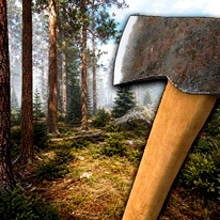
Lumberjack Simulator 3D is a realistic first-person logging simulator where you begin in a huge forest with little more than an axe and gradually build a complete timber operation from the ground up.
Unlike idle lumber games where resources are collected automatically, almost every important task here is performed manually. Choose a tree, create the correct cutting notch, control the direction in which it falls, remove the branches and cut the trunk into smaller logs before transporting the wood to your sawmill.
As your business grows, repair an abandoned pickup truck, improve your tools, expand the sawmill with additional processing stations and transform raw timber into beams and planks. Use those materials to construct your own house in the forest, create a woodworking shop and manufacture furniture that can be placed inside your home or sold for additional income.
The result is a slower and more detailed lumberjack experience focused on hands-on work, exploration, resource processing, construction and business progression.
Start with an Axe and an Entire Forest
Your logging career begins simply. Explore the forest, identify a suitable tree and approach it with your axe.
There are no automated workers cutting everything for you. Each tree must be harvested manually, making the physical process of logging one of the central parts of the game.
- Explore large forest areas.
- Select trees that you want to harvest.
- Use your axe to begin the felling process.
- Control how the tree falls.
- Remove branches from the fallen trunk.
- Cut the trunk into manageable logs.
- Transport the timber for processing.
Take your time during the first few trees. Understanding the logging process will make later harvesting significantly faster and more efficient.
Create a Notch Before Felling the Tree
Lumberjack Simulator 3D includes a more detailed tree-cutting process than typical casual woodcutting games.
Instead of repeatedly hitting a tree until it disappears, you create a cutting notch that helps determine the direction in which the trunk will fall.
Choose the side carefully before beginning the final cut. A controlled fall can make the next steps easier by placing the trunk in an open area where you can safely remove branches and process the wood.
Control the Direction of the Falling Tree
The direction of the fall matters. Dropping a tree into a difficult position can make processing and loading more complicated.
Before cutting, inspect the terrain around the tree. Look for open ground where the trunk can land without becoming trapped between other trees or obstacles.
Planning each fall becomes increasingly useful when you begin harvesting several trees during the same trip.
Remove the Branches
Once a tree has fallen, the job is not finished. Move along the trunk and remove the branches before preparing the timber for transport.
Removing branches makes the trunk easier to process and gives you a cleaner piece of wood for the next stage.
Work systematically from one end toward the other rather than moving randomly around the fallen tree.
Cut Long Trunks into Smaller Logs
A complete trunk is too large to transport and process efficiently, so divide it into smaller sections.
Cut the timber into manageable logs that can be loaded and delivered to the sawmill.
Think about transportation before making every cut. Logs that are easier to handle can reduce the time required to load your vehicle and move materials between locations.
Repair the Abandoned Pickup Truck
Early in your logging career, you can gain access to an old abandoned pickup truck.
Repairing it becomes an important progression milestone because the vehicle allows you to move larger quantities of timber through the forest much faster than carrying everything by hand.
Once the truck is working, use it to transport logs from remote cutting areas back toward your processing operation.
Load Timber onto Your Truck
Move processed logs toward the vehicle and prepare them for transport.
Organizing each logging trip efficiently reduces the amount of time spent driving back and forth between the forest and the sawmill.
- Cut several trees in the same area.
- Process their trunks into transportable logs.
- Bring the wood toward your pickup truck.
- Load the available cargo.
- Drive everything back to the sawmill.
As the business expands, transportation becomes an increasingly important part of your daily routine.
Drive Through the Forest
The pickup truck gives you freedom to travel across larger parts of the map.
Drive carefully along forest roads while carrying timber. Vehicle damage is visible, so reckless driving can make transportation more difficult.
Learning the road network is useful because shorter and safer routes can significantly improve your logging efficiency.
Expand Your Sawmill
Your sawmill begins relatively simple but can gradually be expanded with additional stations and industrial equipment.
Each new processing stage allows you to transform raw logs into more useful and valuable materials.
Instead of selling everything immediately, consider how processed timber can support construction, furniture production and further expansion.
Remove Bark from Logs
Raw logs require preparation before they can become finished building materials.
Use the appropriate sawmill station to remove bark and prepare the timber for further processing.
This transforms freshly harvested logs into cleaner materials that can move through later production stages.
Produce Beams and Planks
After preparing the logs, process them into useful construction materials such as wooden beams and planks.
These products are much more versatile than raw timber and become essential for expanding your forest property.
- Harvest trees.
- Cut them into logs.
- Transport them to the sawmill.
- Remove the bark.
- Process the wood into beams and planks.
- Use or sell the resulting materials.
This production chain gives Lumberjack Simulator 3D a stronger management element than a simple tree-cutting game.
Build Your Own House in the Forest
The timber you produce can be used to create something permanent: your own house.
Gather enough materials and gradually build your home in the middle of the forest.
Construction provides another reason to process wood instead of immediately selling every log. The forest itself becomes the source of the materials required to develop your property.
Develop Your Property Step by Step
You do not instantly receive a completed mansion. Progress comes gradually as you gather resources and produce the materials required for each part of the project.
This creates a satisfying connection between logging and construction. Every tree you harvest can contribute directly to the development of your home and business.
Open a Woodworking Workshop
Once your operation becomes more advanced, you can create a woodworking area where processed timber becomes finished furniture.
This adds another production layer beyond simple logging and sawmill processing.
Instead of selling plain boards, transform your materials into useful finished products.
Craft Furniture
Your woodworking workshop allows you to produce several types of furniture.
Available creations include:
- Chairs.
- Tables.
- Beds.
- Sofas.
- Wardrobes.
- Shelves.
Each finished piece gives your processed timber another purpose and helps expand the long-term progression of your logging business.
Decorate Your House
Furniture is not only produced for profit. You can also use crafted pieces to furnish your own forest home.
Place useful and decorative furniture around the house and gradually transform an empty construction into a personalized living space.
This gives your work a visible reward beyond simple money numbers: resources collected from the forest eventually become part of the environment you created yourself.
Sell Furniture for Money
If you do not need a particular piece of furniture inside your house, it can become another source of income.
Manufacture finished products and sell them to generate money for additional upgrades.
This creates a deeper production chain:
- Cut trees.
- Process logs.
- Create boards and beams.
- Build furniture.
- Sell finished products.
- Invest the earnings back into your logging operation.
Unlock Better Axes
Your starting axe is enough for early work, but better tools become available as you progress.
Improved axes can make logging more efficient and reduce the amount of time required to process additional trees.
Upgrading your primary tool is especially valuable because tree cutting remains fundamental throughout the entire game.
Unlock Additional Tools
Your operation eventually requires more than an axe.
Progression unlocks additional equipment designed to improve harvesting, transportation and wood processing.
Investing in useful tools can increase productivity and allow you to spend less time repeating basic tasks.
Unlock New Vehicles
As your logging business grows, additional vehicles can become available.
Better transportation makes it easier to operate across larger areas of the forest and move more resources between harvesting locations and processing stations.
Choose vehicle upgrades based on what is currently slowing down your production chain.
Use Conveyor Belts
Later progression introduces equipment such as conveyor belts that help move materials through the sawmill.
These systems make an expanding operation feel increasingly industrial while reducing the amount of manual movement required between processing stages.
Place greater emphasis on production improvements once your logging volume becomes large enough to justify them.
Unlock Forestry Machinery
Advanced forestry equipment becomes available as you earn more money and develop the business.
These upgrades represent the transition from a lone lumberjack with an axe to the owner of a much larger forest industry.
Continue reinvesting your earnings so that each stage of harvesting and processing becomes more efficient.
No Idle Automation for Tree Cutting
One of the defining characteristics of Lumberjack Simulator 3D is that the core logging process remains hands-on.
Trees are not automatically harvested while you wait. You choose the tree, perform the cuts and process the resulting wood yourself.
This makes progression feel directly connected to your actions rather than simply waiting for an idle timer.
Explore a Large Forest
The game includes large forest areas that encourage exploration.
As your transportation and equipment improve, travel farther away from your original operation and search for new logging locations.
Learning the map can help you identify:
- Efficient harvesting areas.
- Convenient transportation routes.
- New wood resources.
- Useful locations for future expansion.
New Areas and Wood Types
Ongoing versions of Lumberjack Simulator 3D expand the world with additional areas and different types of timber.
This gives you more reasons to improve your truck and equipment rather than remaining permanently beside the starting forest.
Build enough infrastructure to support longer logging trips and more advanced materials.
Main Objectives
- Explore the large forest environment.
- Select and manually cut trees.
- Create a notch to control tree-felling direction.
- Remove branches from fallen trees.
- Cut trunks into transportable logs.
- Repair and use the pickup truck.
- Transport timber to the sawmill.
- Expand your wood-processing operation.
- Remove bark from raw logs.
- Produce beams and wooden planks.
- Build your own forest house.
- Create a woodworking workshop.
- Craft chairs, tables, beds, sofas, wardrobes and shelves.
- Decorate your house with furniture.
- Sell finished products for money.
- Unlock better axes and tools.
- Improve vehicles and forestry equipment.
- Install conveyor belts and additional machinery.
- Expand your complete logging business.
Lumberjack Simulator 3D Controls
Desktop Controls:
- Movement: Use the movement controls displayed inside the game to walk around the forest and navigate work areas.
- Mouse: Look around and aim at trees, logs, tools and interactive objects.
- Select: Use the selection control shown by the interface to choose tools and supported objects.
- E: Perform the available action or interact with supported objects.
The published browser version specifically identifies movement, aiming, selection and E for actions. Follow the prompts displayed inside the current game build for the exact movement and vehicle bindings.
Tips for Building Your Logging Business Faster
Plan where trees will fall. Before making the final cut, look for clear ground that will make branch removal and log processing easier.
Cut several nearby trees before transporting. Working one area efficiently can reduce unnecessary travel between the forest and sawmill.
Repair the truck as soon as possible. Reliable transportation becomes essential once you start harvesting farther away from your processing area.
Learn the forest roads. A shorter route can save significant time across repeated timber deliveries.
Upgrade your axe when logging becomes slow. Since tree cutting remains manual, improvements to your primary tool can affect almost every harvesting trip.
Process timber before deciding what to sell. Raw logs may be useful for producing materials required by construction and furniture projects.
Expand the sawmill gradually. Add new stations when the previous stage of production begins creating a bottleneck.
Use finished wood strategically. Decide whether beams and planks are more useful for house construction, furniture production or immediate income.
Build the woodworking shop. Furniture gives processed timber another profitable use and expands the economic side of the game.
Invest profits back into production. Better tools, vehicles, conveyor belts and forestry equipment make future logging sessions more efficient.
From One Axe to a Complete Forest Industry
The most satisfying part of Lumberjack Simulator 3D is seeing how much your operation changes over time.
You begin alone in the forest, manually cutting a single tree with a basic axe. That tree becomes logs. Those logs reach the sawmill. The processed timber becomes beams, planks and furniture. Money from your work unlocks better tools, vehicles and machinery.
Eventually, the simple lumberjack camp develops into a complete wood-processing operation with transportation, industrial equipment, a house and a functioning furniture workshop.
Lumberjack Simulator 3D combines realistic first-person tree cutting, vehicle driving, timber processing, construction and business management in a relaxing progression game where every piece of wood has a purpose. Pick up your axe, enter the forest and build an entire logging industry one tree at a time.





 Share
Share
 Embed
Embed