Build Your Army and Unleash Physics-Based Chaos
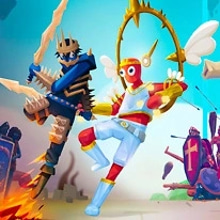
TABS: Totally Accurate Battle Simulator is a physics-based strategy game where you create an army, position your units and watch an unpredictable battle unfold. Choose warriors from different historical and fantasy-inspired factions, spend your available battle budget wisely and develop a formation capable of defeating the opposing force.
The concept is easy to understand, but every battle can produce a completely different result. Soldiers stumble, weapons miss their targets, powerful units collide with their own allies and carefully planned formations can collapse in seconds. The exaggerated ragdoll physics make every victory, defeat and unexpected accident entertaining to watch.
Your most important decisions happen before combat begins. You must study the enemy army, choose the right units and decide where each fighter should be positioned. Once the battle starts, the armies move and attack automatically, allowing you to observe the result of your strategy and identify what should be changed before the next attempt.
Create a Balanced Army
Each unit has a specific cost, attack style, range, movement speed and battlefield role. Some fighters are designed to protect the front line, while others deal damage from a safe distance or break through groups of weaker enemies.
Spending your entire budget on the most expensive unit is not always the best strategy. A large warrior can be surrounded, pushed away or defeated by a well-organized group. A balanced formation containing defensive troops, ranged attackers and specialized units will usually perform more consistently.
- Place strong melee units at the front of your formation.
- Protect archers and other ranged fighters behind your main line.
- Spread units apart when the enemy uses area attacks.
- Use fast troops to pressure exposed enemies.
- Save part of your budget when a cheaper combination can complete the objective.
- Experiment with different factions and unit matchups.
Study the Enemy Formation
Before placing your army, inspect the opposing side carefully. Look at the number of enemies, their positions and the types of weapons they use. A formation that works against slow melee fighters may fail immediately against archers, catapults or powerful giant units.
Do not simply place every soldier in a straight line. Use the width and depth of the battlefield to create separate groups, protect vulnerable units and force the enemy to divide its attention. Positioning can be just as important as the units you select.
Start the Battle and Analyze the Result
When your army is ready, begin the simulation and watch both sides charge into combat. Units move, attack and react according to the game’s physics system, creating battles that are tactical, chaotic and frequently hilarious.
A defeat can reveal useful information. Watch which part of your formation collapses first, which enemy causes the most damage and whether your ranged units are properly protected. Return to the deployment phase, replace ineffective troops and adjust their positions before starting another simulation.
Campaign Challenges
Campaign battles give you a limited budget and a predefined enemy formation. Your objective is to find an effective combination of units that can defeat the opposing army without exceeding the available resources.
Every challenge acts like a tactical puzzle. You may need to use defensive units against a direct assault, fast fighters against exposed archers or several inexpensive troops to surround one powerful enemy. There is rarely only one possible solution, so experimentation is an important part of the game.
Sandbox Battles
Sandbox mode allows you to create custom battles and test unusual army combinations. Place units on both sides, build enormous confrontations and discover which warriors survive when different eras, factions and combat styles collide.
You can create balanced tactical battles or completely absurd scenarios. Test a small group of elite fighters against a much larger army, combine ranged and melee units or fill the battlefield with powerful creatures simply to see what happens when the simulation begins.
Units and Factions
TABS features fighters inspired by different periods, cultures and fantasy themes. Available armies may include farmers, medieval knights, ancient warriors, Vikings, samurai, pirates, cowboys, archers, giants, mammoths and other unusual combatants.
Every faction offers a different selection of weapons and tactical possibilities. Learning how units interact is essential. Shielded troops can absorb projectiles, archers can attack from a distance, heavy fighters can disrupt defensive lines and support units can improve the effectiveness of nearby allies.
Control Units Directly
In supported modes, you can possess an individual unit and experience the battle from a closer perspective. Direct control lets you move through the battlefield, approach specific enemies and use the selected fighter’s abilities.
Controlling a unit can be entertaining, but it does not replace good preparation. A badly constructed army will still struggle, even when one soldier is controlled manually. Build a reliable formation first and use direct control as an additional tactical option.
Main Objectives
- Create an army without exceeding the available budget.
- Select units that can counter the opposing formation.
- Position melee, ranged and support troops effectively.
- Start the simulation and defeat every enemy unit.
- Analyze failed battles and improve your strategy.
- Complete campaign challenges and experiment in sandbox mode.
- Discover effective combinations between different factions.
Game Controls
- Mouse or touchscreen: Navigate menus and select factions or units.
- Click or tap the battlefield: Place the selected unit.
- Drag across the deployment area: Position multiple units or organize a formation when supported.
- Start button: Begin the battle simulation.
- Clear or reset button: Remove units and rebuild your army.
- Camera controls: Move, rotate or zoom the battlefield by following the prompts displayed inside the game.
- Unit possession: Select a compatible unit and follow the on-screen instructions to control it directly.
The precise camera and unit-control commands may vary depending on the browser version and device. Check the indicators displayed inside the game before beginning a battle.
Strategy Tips for Winning More Battles
Do not group every unit into one small area. Compact formations can be effective against certain enemies, but they are vulnerable to explosions, projectiles and attacks that affect several soldiers at once.
Protect ranged units with a reliable front line and leave enough space for them to attack. If your archers are placed too close to melee fighters, they may become trapped or hit their own allies instead of targeting the enemy.
Consider the terrain and the direction from which the enemy will approach. Units placed near cliffs, bridges or narrow passages may behave differently once the battle begins. A strong formation on open ground may require adjustments on a map with obstacles.
When a strategy fails, change one or two elements instead of rebuilding everything immediately. Replace a vulnerable unit, move your ranged line farther back or divide your army into smaller groups. Small changes make it easier to understand why the next attempt succeeds or fails.
TABS: Totally Accurate Battle Simulator combines tactical army building, sandbox experimentation and unpredictable ragdoll physics. Create your formation, start the battle and discover whether your brilliant strategy becomes a perfect victory or a spectacular disaster.





 Share
Share
 Embed
Embed